
OpenBB Tutorial: Free Global Market Data Access
Have you ever encountered this scenario? You come across foreign-language papers or blog posts with excellent methodologies and compelling conclusions, leaving you eager to replicate their results.
However, the data used in these articles is often from overseas markets. How can we obtain free overseas market data?
Previously, yfinance was the go-to tool, but since November 2021, it has ceased serving users in mainland China. Today, we introduce a solution: OpenBB. It provides a unified data standard, aggregating numerous free and paid data sources.
In the overseas market, Bloomberg is undoubtedly the dominant data provider. Its services span financial news, market data, and analytical tools, wielding immense influence in global financial markets. It is an indispensable information source for many financial institutions, traders, analysts, and decision-makers. However, Bloomberg’s data is notoriously expensive. For individual researchers or those who occasionally need overseas data, it is clearly necessary to seek more cost-effective alternatives.
Thus, OpenBB entered the market. Judging by its name, it is essentially an open-source Bloomberg.
OpenBB occupies a somewhat ambiguous space. On one hand, it is open-source; on the other, it offers paid services. In the financial sector, pure open-source models often lack sustainability. Relying on others’ free work while profiting oneself is not a viable long-term strategy. Since everyone aims to make money, offering paid services is not shameful.
info
Thanks to these open-source products, everyone has the opportunity to go from Zero to Hero! Finance has traditionally been viewed as a high-end game, relying heavily on proprietary information and "bloodlines." Open source has torn a hole in this curtain, allowing ordinary people to glimpse the tricks behind the scenes.If you have used OpenBB and it has indeed kept its promises, we recommend visiting its GitHub repository to give it a star.
Open-source projects do not require financial support, but if we refuse to give them a free embrace, we will all be left with no choice but to use paid products.
Install OpenBB using the following command:
pip install openbb[all]tip
OpenBB requires Python version 3.11 or higher. It is highly recommended to create a dedicated virtual environment for it.Using the Command Line Interface (CLI)
Once installed, you can launch OpenBB from the command line.
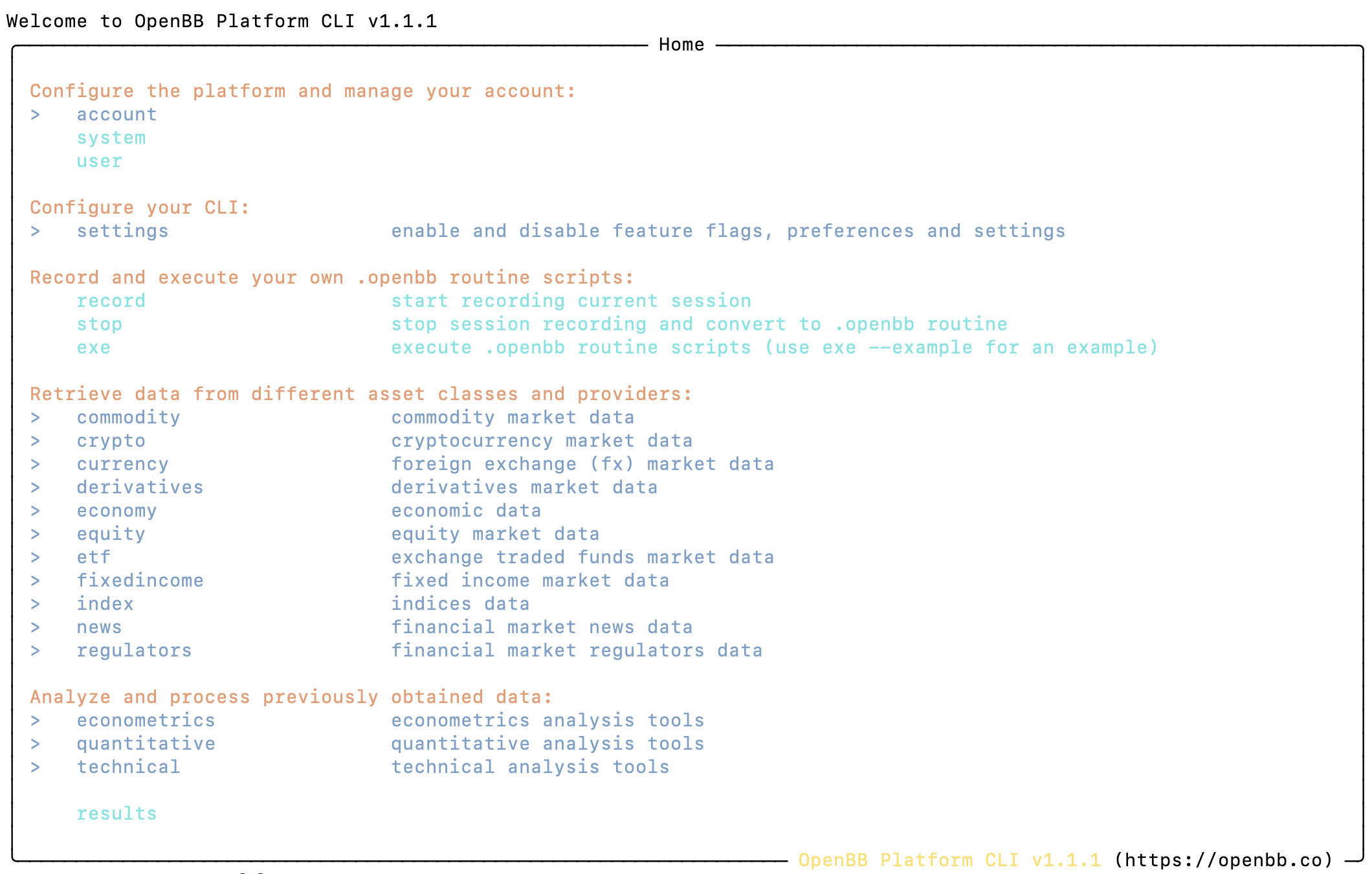
Follow the prompts to enter commands. For example, to obtain market data, you can navigate through equity > price, then input historical --symbol LUV --start_date '2024-01-01' --end_date '2024-08-01' to retrieve historical price data for that stock.
OpenBB will pop up a window displaying the market data in a table format, allowing you to export the data.
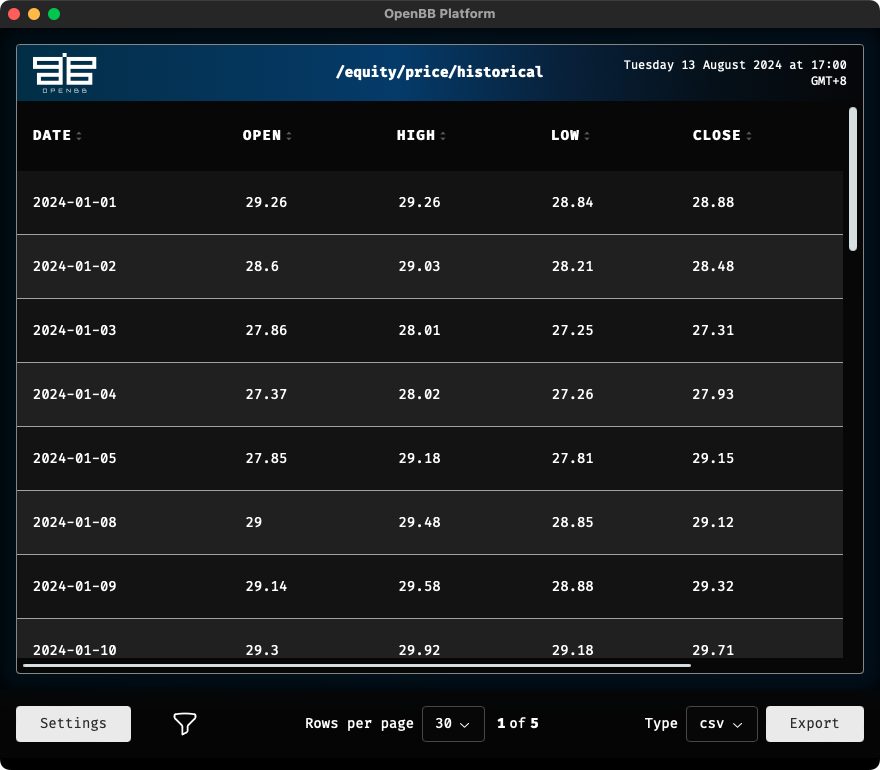
The result is somewhat surprising, haha.
Interestingly, they designed the commands in a Unix-style path format. Therefore, after executing the previous command, you can input other commands starting from the root directory, such as:
/economy/gdpThis allows you to query global GDP data.
Using Python
We will demonstrate its usage via a Jupyter Notebook.
from openbb import obb
obbThe obb object is our entry point for using OpenBB. When you type obb directly into a cell, it prompts you with its attributes and methods:
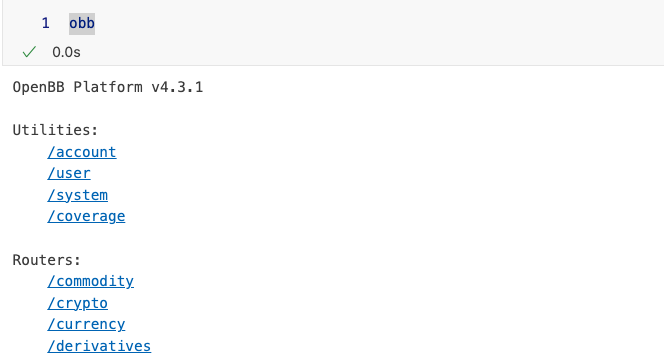
Here, OpenBB maintains interface consistency. The content we see is similar to what is displayed in the CLI.
Now, let’s demonstrate some specific functionalities. First, search for stock tickers by name:
from openbb import obb
obb.equity.search("JPMorgan", provider="nasdaq").to_df().head(3)The output is:
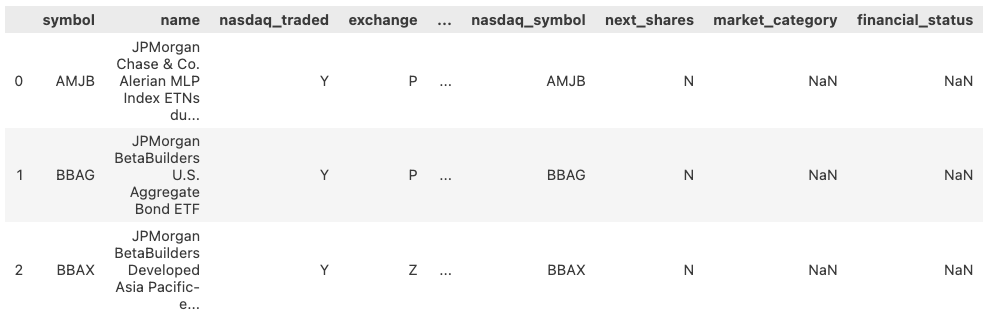
As a non-native English speaker, understanding the relationship between stock tickers and data providers can be challenging. However, if you research this daily, spending some time to understand it is worthwhile.
From the previous results, we learned that the ticker for JPMorgan Chase (often referred to as "JPM" or "Small Morgan" in Chinese slang, distinct from Morgan Stanley or "Big Morgan") is JPM. Note: The search result showed AMJB due to a specific provider mapping, but typically JPMorgan Chase trades under JPM. Let's assume we want to check its historical market data. If we can successfully retrieve this data, our tutorial could end here.
However, when we call the following code:
obb.equity.price.historical("AMJB")An error occurs! The system reports: No result found.
Using Free Data Sources Requiring Registration
The actual reason is that OpenBB has only one out-of-the-box free data source—CBOE—but this specific stock is not included in the free CBOE dataset. We need to select another data source, such as FMP (Financial Modeling Prep). However, you must first register for a free FMP account and add your FMP API key to the OpenBB Hub.
FMP is a data provider offering both free (limited to 250 calls per month) and paid services. Its data coverage is extensive, including US stock markets, cryptocurrencies, foreign exchange, and detailed corporate financial data. Free data allows access to 5 years of historical data.
tip
OpenBB supports many data sources. These sources often provide a limited number of free calls. Through OpenBB’s aggregation, you can access as many data sources as possible for free.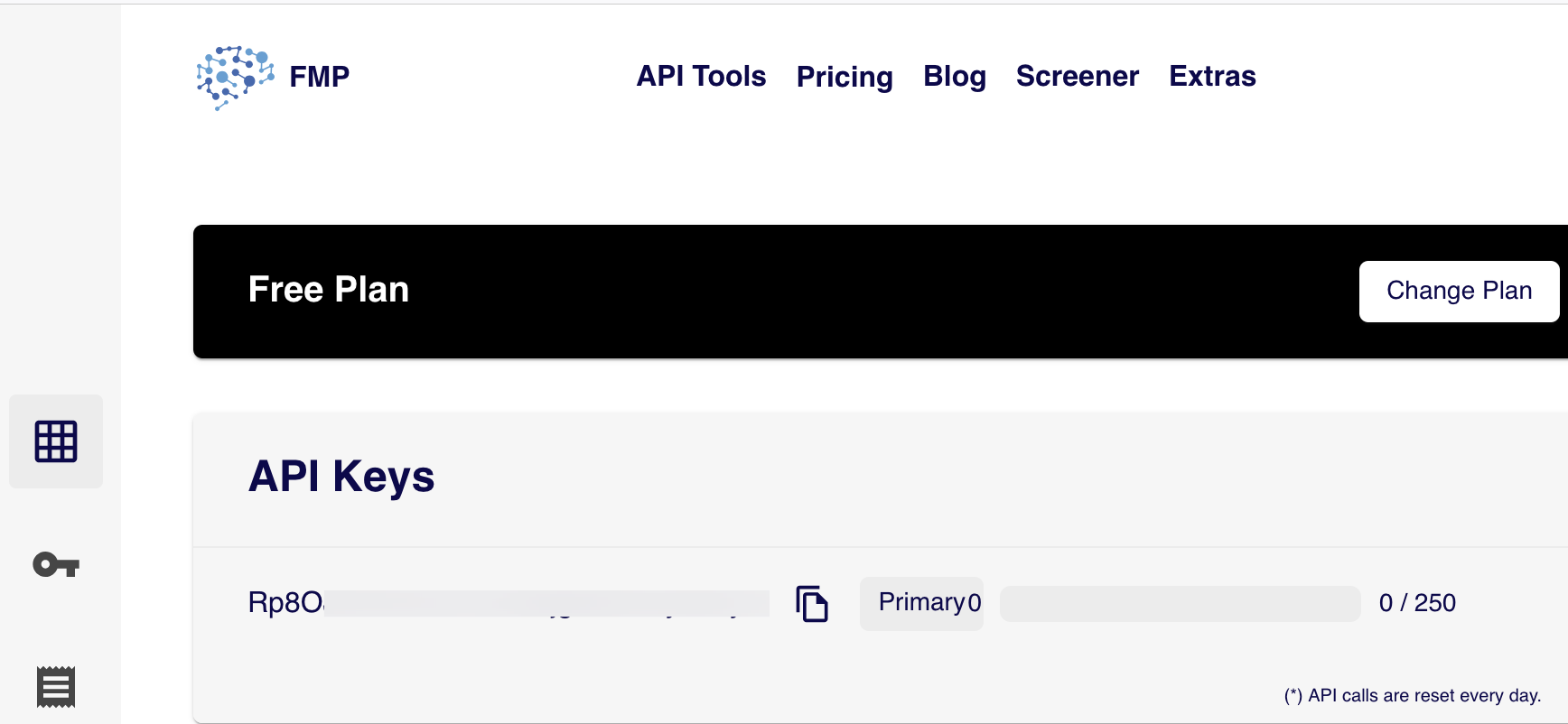
Next, register for an OpenBB Hub account and add this API key to the OpenBB Hub.
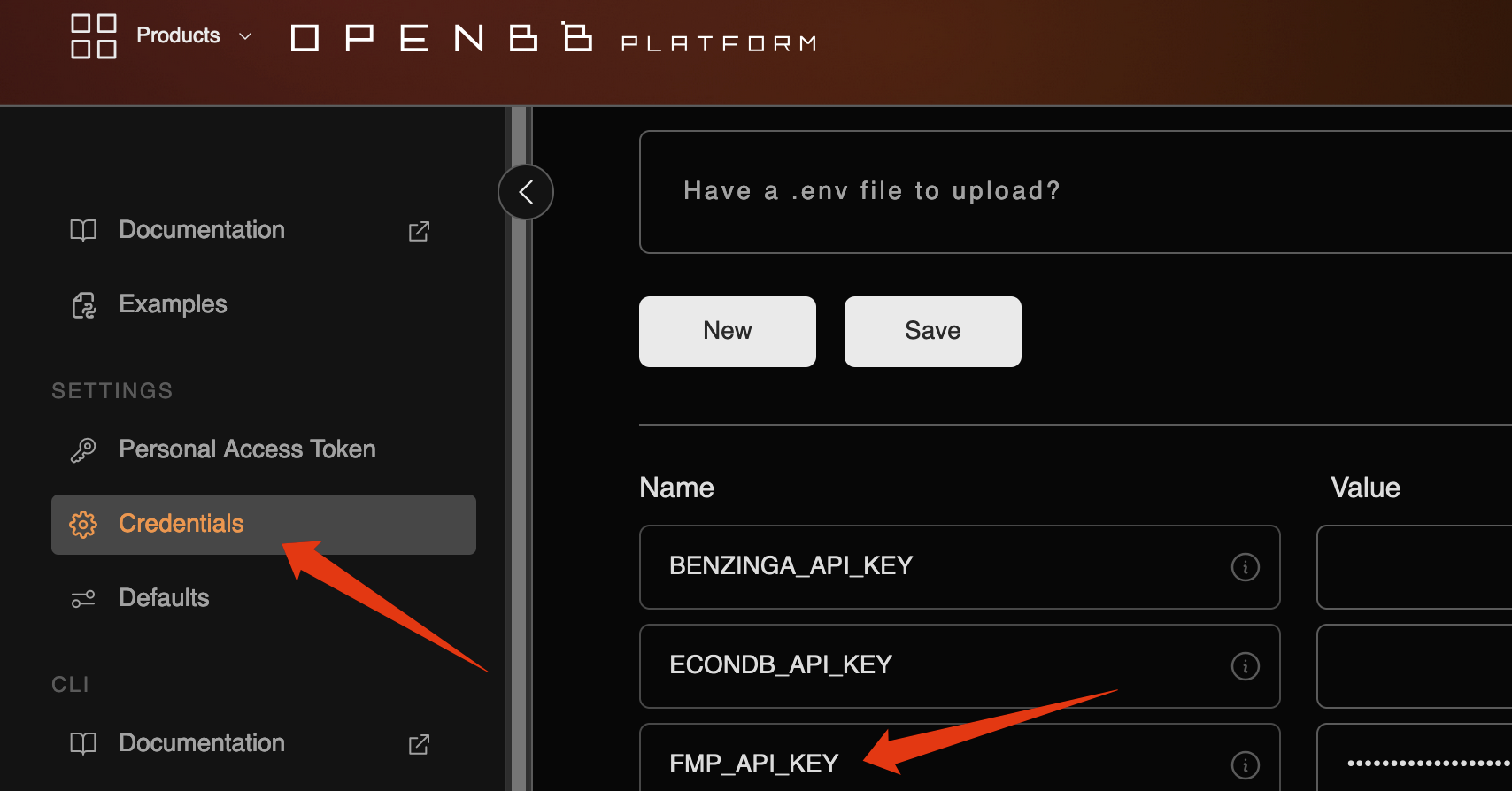
Now, change the data source to FMP and rerun the previous code to obtain the desired results.
obb.equity.price.historical("AMJB", provider="fmp").to_df().tail()We will obtain the following result:
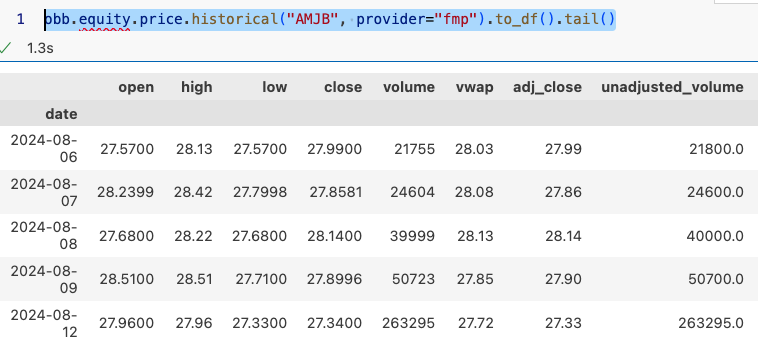
Let’s try another stock, Apple. We first use the search command to obtain its ticker 'AAPL' (often mistakenly typed as 'APPL'), then substitute it into the previous code to retrieve the data.
Need to conduct some fundamental research, such as wanting to know Apple’s historical cash flow data?
obb.equity.fundamental.cash("AAPL", provider='fmp').to_df().tail()Trading calendars, adjusted price information, and constituent lists are indispensable for backtesting (in China A-shares, ST lists and historical price limit data are also mandatory). Let’s see how to obtain stock lists and index constituent lists:
# Get list of all stocks
all_companies = obb.equity.search("", provider="sec")
print(len(all_companies.results))
print(all_companies.to_df().head(10))
# Get list of indices
indices = obb.index.available(provider="fmp").to_df()
print(indices)
# Get index constituents: DOWJONES, NASDAQ, SP500 (SP500 may require permissions)
obb.index.constituents("dowjones", provider='fmp').to_df()Alright. Trying out a new library takes time. Often, you only decide whether to continue using it after investing that time. If you ultimately decide not to use it, the exploration time spent becomes wasted.
Therefore, we have built a computing environment where OpenBB is installed, free FMP data sources are registered, and example notebooks are provided for practicing OpenBB.
This environment is provided to everyone for free. If you also want to try OpenBB immediately without installation, join the group and check the announcement for the login address!